graph LR

FD[flex-direction, Controls:] --> Order[Which order]
FD --> Direction[Which direction]
FD --> Side[From which side of the box]
Order --> Placement[the elements are placed]
Direction --> Placement
Side --> Placement
Flex Direction Controls:
- which order
- which direction
- from which side of the box
the elements are placed.
/*
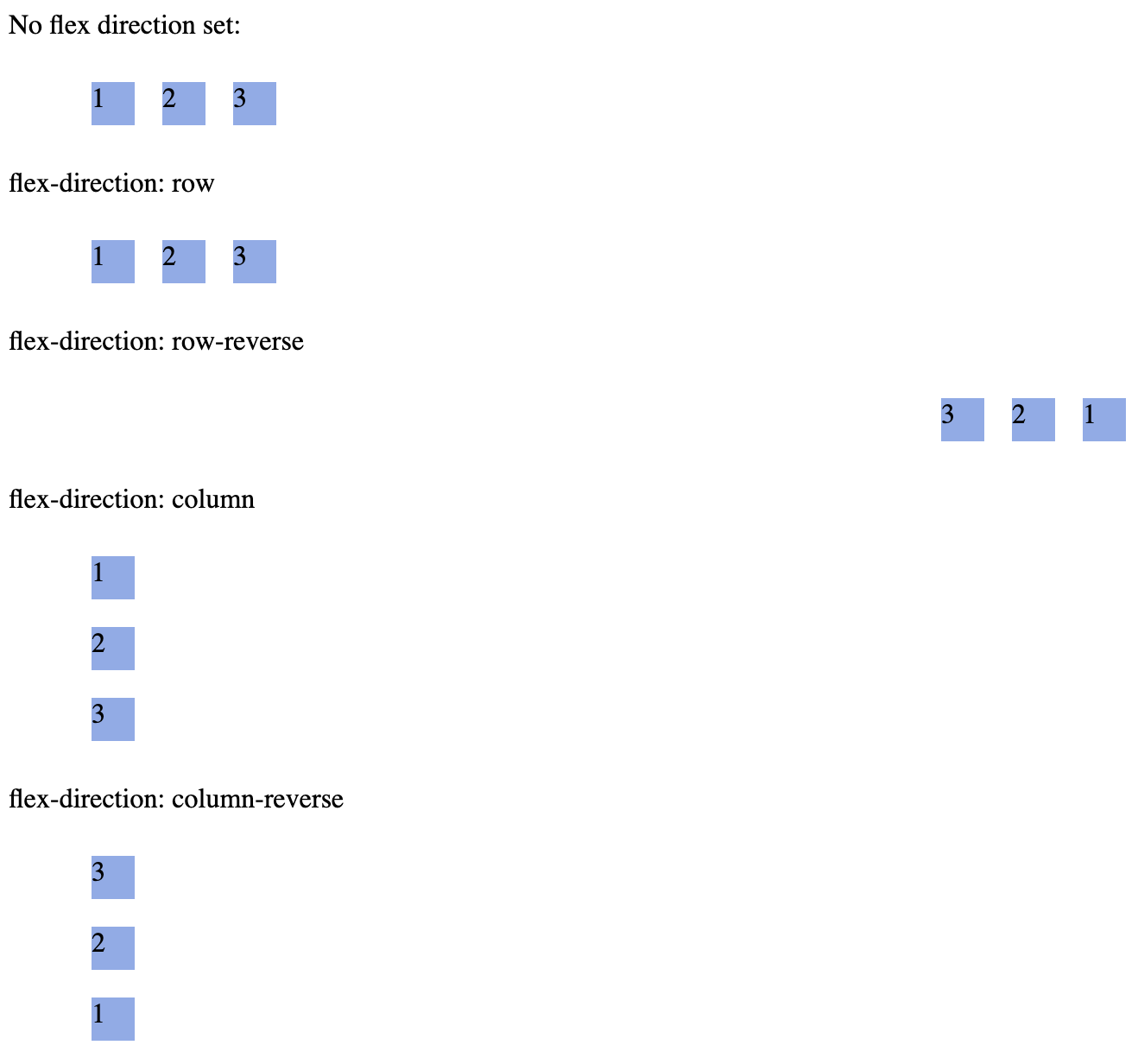
There are 4 values for the property, example setting this property
where ul represents a flex container, */
ul {
  flex-direction: row || column || row-reverse || column-reverse;
}
GT-Sandbox-Snapshot
Command to reproduce:
gt.sandbox.checkout.commit 870edcc21fa6ffb73d26 \
&& cd "${GT_SANDBOX_REPO}" \
&& cmd.run.announce "chrome ./main/index.html"
Recorded output of command:
       _chrome ./main/index.html
Opening in chrome: ./main/index.html
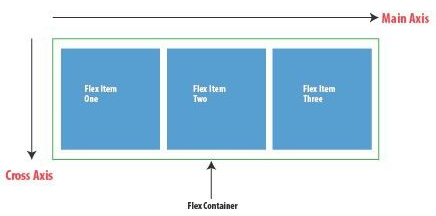
Controls main axis direction (vertical/horizontal)
The flex-direction controls whether main-axis is vertical or horizontal.
Below is example of axis when flex-direction is set to row