Set up the phone such that its more aligned with: let-technology-use-you
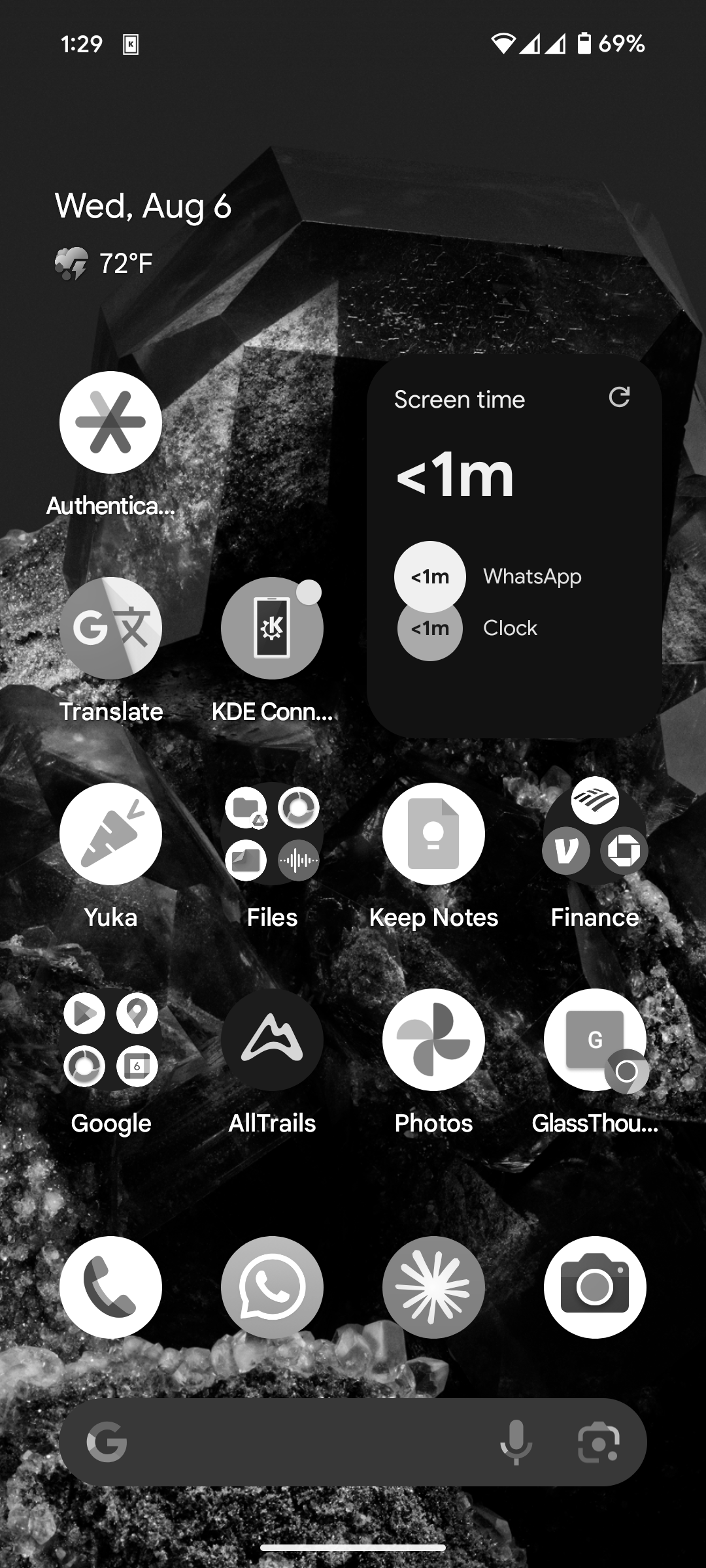
This is how my home screen looks like
 {max-width: 250px, display: block, margin: 0 auto, border: 5px solid black}
There are two main things to notice:
- The phone is gray: gray-scale
- There is screen time usage widget on home screen so it is visible right away
- To add widget to your home screen ask instructions from GPT/Claude.
Gray-scale
Turn your phone into gray scale (Black & White)
Grayscale mode can help reduce phone addiction by making the screen less visually appealing, turning things black and white.
For example light-phone comes in gray scale to keep your less likely to be distracted.
Link to originalHow To Turn your Phone into GrayScale
IOS
iPhone (iOS)
Method 1: Accessibility Shortcut
- Go to Settings > Accessibility > Display & Text Size > Color Filters
- Toggle Color Filters on
- Select Grayscale
Method 2: Quick Access
- Go to Settings > Accessibility > Accessibility Shortcut
- Select Color Filters
- Now triple-click the side button to toggle grayscale on/off
Link to originalAndroid
Android
Samsung Galaxy
- Go to Settings > Accessibility > Visibility enhancements
- Toggle Grayscale on
Google Pixel/Stock Android
- Go to Settings > Digital Wellbeing & parental controls
- Tap Bedtime mode or Focus mode
- Enable Grayscale
Alternative Method (Most Android phones)
- Enable Developer Options (tap Build Number 7 times in About Phone)
- Go to Settings > Developer Options
- Find Simulate color space and select Monochromacy
Step further
- If you want to take it further look into minimalist phone app
Side notes:
- Turn off discover on google App
- app-block - did not work for me personally, I would just end up turning it off.